Charalambos Geronikolas Reading Time: 2 minutes windows-server
Ntdsutil.exe is a command-line utility designed for managing Active Directory Domain Services (AD DS) and Active Directory Lightweight Directory Services (AD LDS). It allows experienced administrators to perform database maintenance on AD DS, manage single master operations, and clean up metadata from domain controllers that were improperly removed from the network. For more information about the NTDSUtil Tool please visit here.
In this article, we will show how you can transfer FSMO roles via the Ntdsutil tool
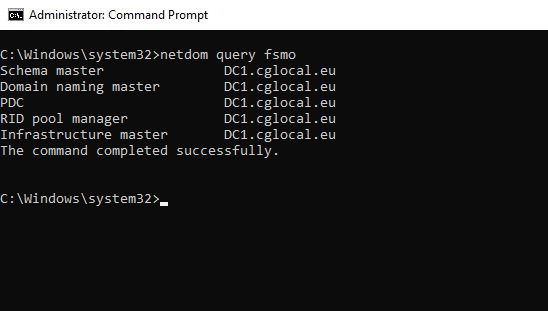
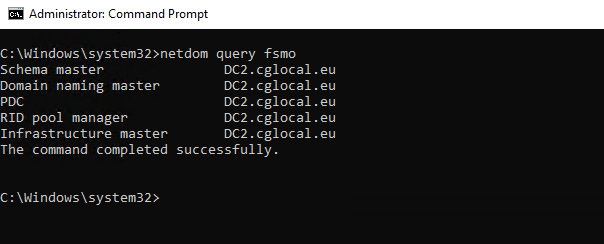
How to check which Domain Controller has the FSMO Roles :
- Open the command prompt with elevated permissions.
- Run the below command
netdom query fsmo
How to tranfer the FSMO Roles via NTDSUtil Tool :
- Open the command prompt with elevated permissions.
- Type
ntdsutil.exeand press enter. - Type
rolesand press enter. - Type
connectionsand press enter. - Type
connect to server <yourdomaincontroller>. You need to add the hostname of the domain controller to which you will transfer the roles. For example DC2.cglocal.eu. - Type quit.
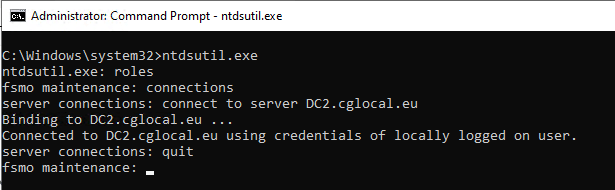
Now that we have connected the domain controller we can transfer the FSMO Roles. We have 5 Roles, Schema Master, RID Master, Domain Naming Master, PDC Emulator, and Infrastructure Master. For more information about the FSMO Roles, please visit here.
- Open the command prompt with elevated permissions and run the commands below :
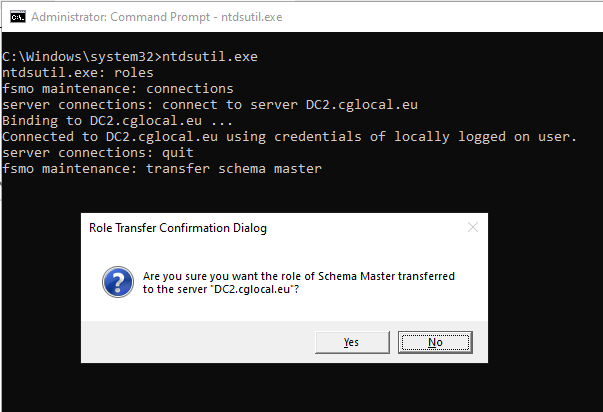
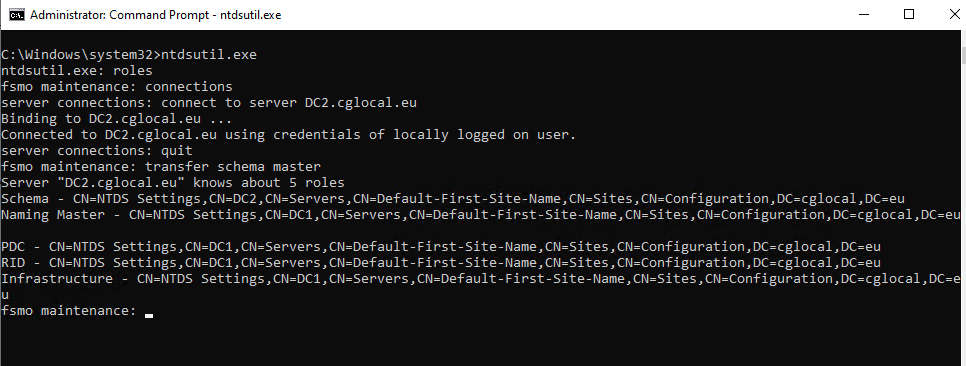
Schema Master ==> Type transfer schema master and press enter.
RID Master ==> Type transfer rid master and press enter.
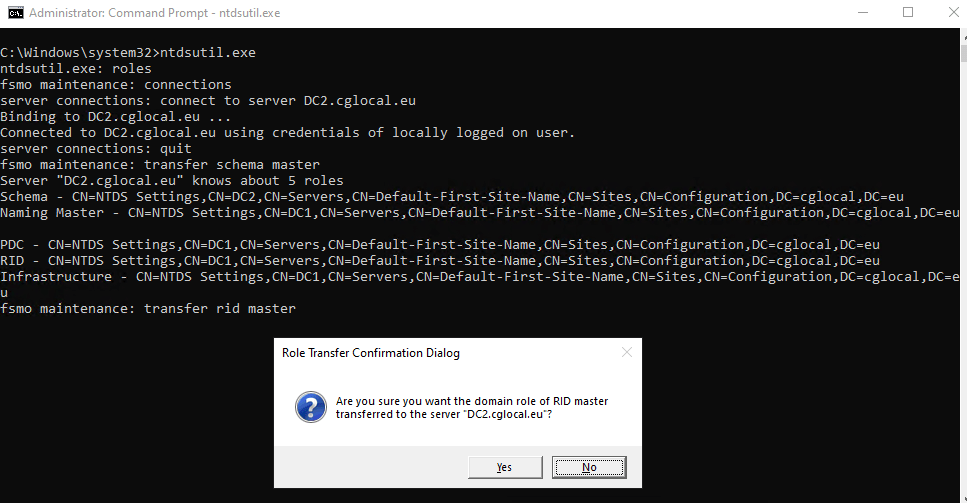
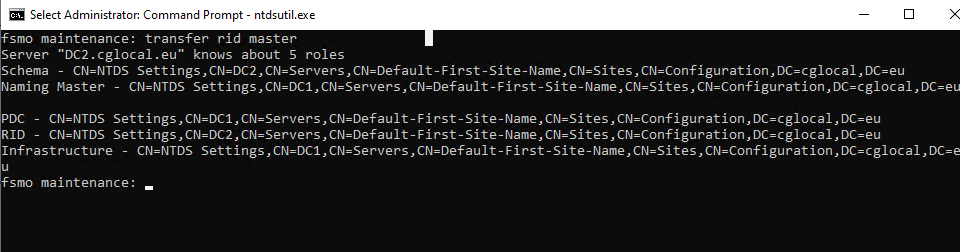
Domain Naming Master ==> Type transfer naming master and press enter.
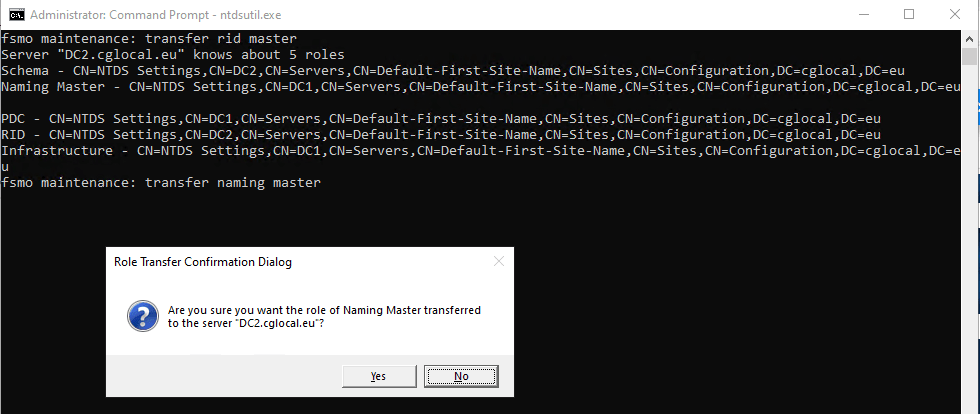
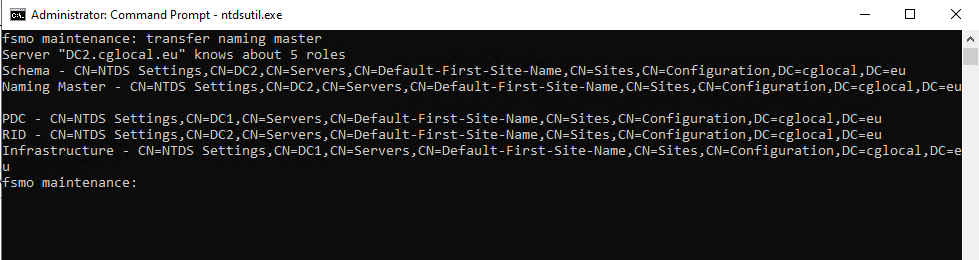
PDC Emulator ==> Type transfer pdc and press enter.
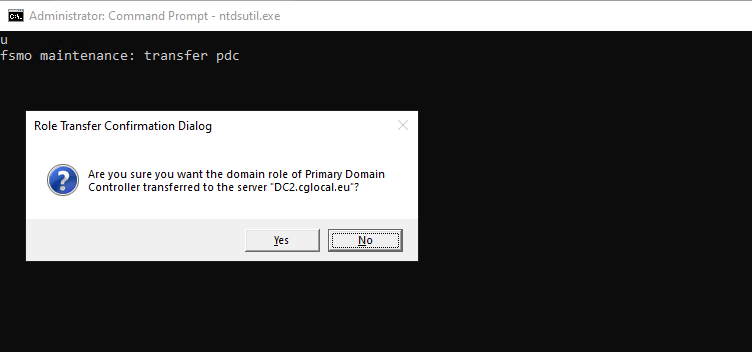
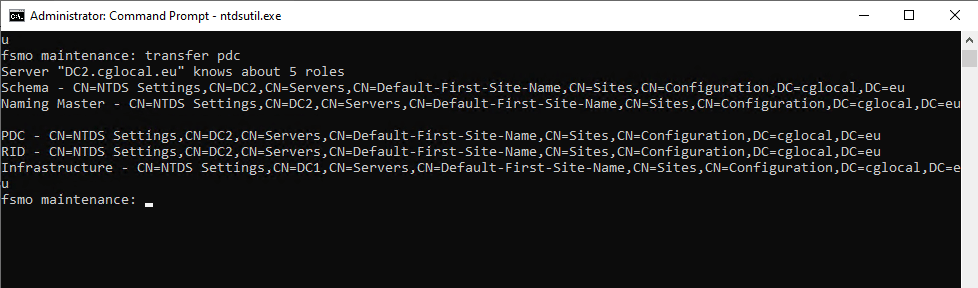
Infrastructure Master ==> Type transfer infrastructure master and press enter.
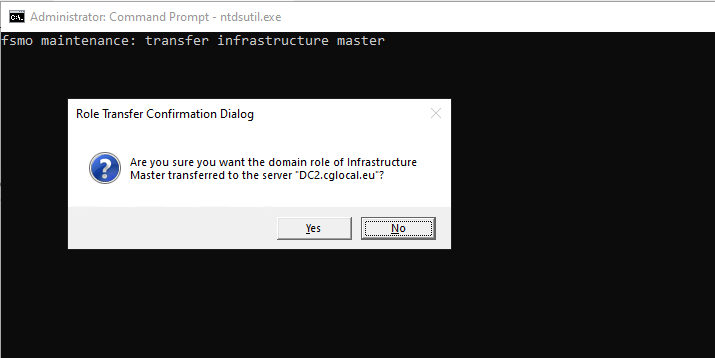
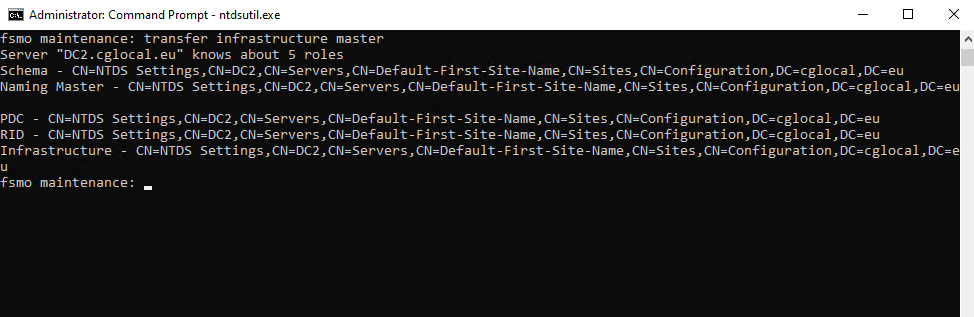
Now we finished, we can run netdom query fsmo again. This will verify that the roles have been successfully transferred to the other domain controller.
Hope you enjoy my article!!!!