- How to get Just Enough Administration (JEA) for Microsoft Entra Sync
 This article explains how to implement Just Enough Administration (JEA) with Microsoft Entra Sync, allowing helpdesk agents to manage user accounts and trigger delta synchronizations without over‑permissioning. A practical case study demonstrates secure delegation and automation using PowerShell
 - How to Block Access USB via Intune
 Learn how to block USB access in Microsoft Intune using three methods: Settings Catalog, Attack Surface Reduction (ASR), and Custom Templates with OMA-URI. This guide shares real-world experience and practical steps to secure your environment against unauthorized data transfers and potential threats from removable media devices.
 - How to Block Access USB via Group Policy
 Learn how to block USB storage access using Group Policy in Active Directory. This step-by-step guide explains secure GPO configurations to prevent data leakage and unauthorized device usage.
 - Rolling Over Kerberos Decryption Key for AZUREADSSOACC
 The AZUREADSSOACC computer account is created during the activation of seamless single sign-on (SSO) in Microsoft Entra Connect, facilitating automatic sign-ins for users on corporate networks. It requires secure management by Domain Administrators, with regular updates of the Kerberos decryption key recommended every 30 days to ensure security.
 - How to Implement Windows LAPS in Microsoft Entra ID and Microsoft Intune
 The Windows Local Administrator Password Solution (LAPS) enhances security by automatically managing unique passwords for local administrator accounts, thereby reducing unauthorized access risk. It simplifies password management, ensures compliance with auditing, centralizes password storage, minimizes the attack surface, and is easy to implement, making it beneficial for organizations of all sizes.
 - Azure Bastion – Transfer Files via Native RDP
 Azure Bastion enhances security for remote access to virtual machines (VMs) using RDP and SSH while preventing exposure through public IPs. To enable native RDP access, users must upgrade from Basic to Standard tier in Azure Bastion and use Azure CLI or PowerShell for configuration. The article details required steps and commands.
 - How to Reset the KRBTGT Account: A Step-by-Step Guide
 The KRBTGT account is a crucial component of Active Directory, facilitating secure Kerberos authentication. This article explains its significance and provides guidance on resetting its password to prevent potential attacks. It outlines various modes for executing the reset, emphasizing the necessity of password replication across domain controllers for security.
 - Understanding LDAP Security: SSL/TLS Setup Guide
 LDAP, or Lightweight Directory Access Protocol, manages directory information over networks similarly to a phone book. To secure LDAP communications and protect credentials from being compromised, SSL/TLS should be implemented. You can use an internal Certification Authority (CA) or third-party CA.
 - How to Obtain a Free SSL Certificate from Let’s Encrypt
 The article explains how to issue a free SSL WildCard Certificate using Let’s Encrypt. It details prerequisites like installing Certbot and OpenSSL, along with step-by-step instructions for generating certificates, including a wildcard for multiple subdomains. The process concludes with guidance on converting and revoking the certificate.
 - Essential Repadmin Commands for Domain Controllers
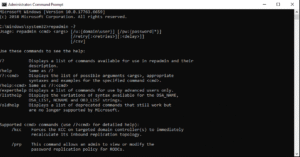 The post discusses the use of the repadmin command for troubleshooting Active Directory replication issues among domain controllers in Windows systems. It outlines several common commands for immediate replication, checking replication status, summarizing replication health, managing queued replications, and isolating replication errors, emphasizing the command’s utility for administrators.
 - How to setup a Windows Admin Center
 Windows Admin Center is a web-based tool for managing Windows servers and computers without needing a VPN. It allows access to resources, configuration settings, and Remote Access (RDP) connections through a browser. Users can customize setups, manage both domain and non-domain computers, and register the gateway on Azure for broader management capabilities.
 - Azure Intune – Upload – Hardware ID
 The Hardware ID identifies your computer and can be obtained from resellers or via PowerShell. This guide demonstrates how to find it using PowerShell commands, and export the Hardware ID to csv file
 - Ntdsutil Tool – Transfer FSMO Roles
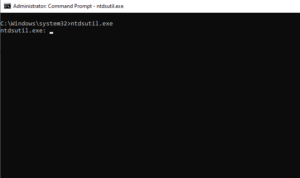 Ntdsutil.exe is a command-line tool for managing Active Directory services. It assists administrators in database maintenance and transferring FSMO roles between domain controllers. The article outlines the steps to check which domain controller holds the FSMO roles and provides detailed commands for transferring these roles effectively.
Follow My Blog
Get new content delivered directly to your inbox.